


Draw to Connect: Brain Dots Puzzle Challenge
Overview
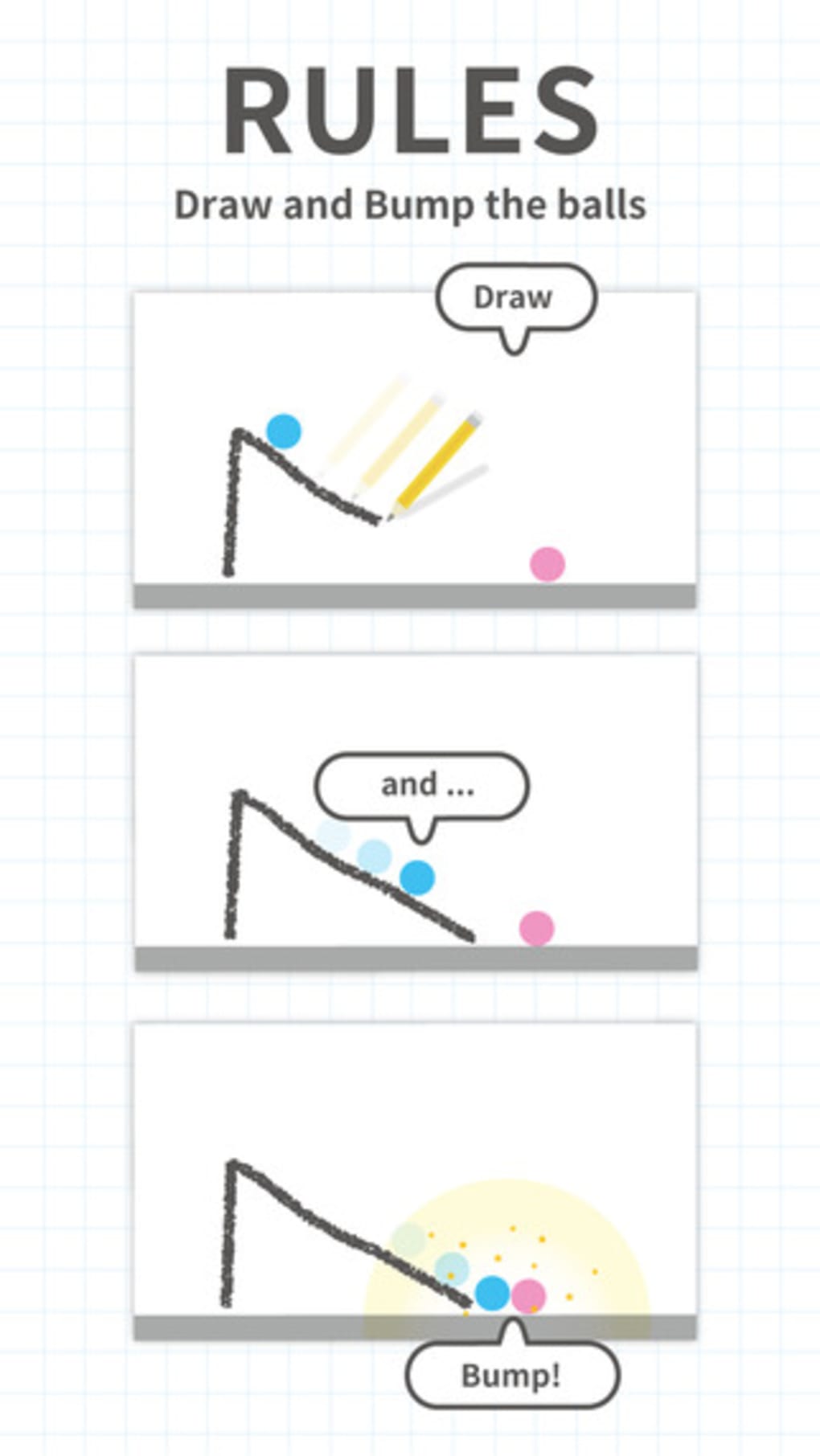
Brain Dots is a physics-based puzzle game that challenges players to guide two colored balls—pink and blue—toward each other using a virtual pencil. The core mechanic revolves around drawing lines and shapes on the screen to manipulate gravity and create pathways, allowing the balls to collide. Designed for casual gamers and puzzle enthusiasts, the game offers a low barrier to entry with intuitive touch controls and gradually increasing difficulty. The developer, Brain Dots Team, has crafted a lightweight, accessible experience suitable for short play sessions, making it ideal for on-the-go entertainment or a quick mental break.
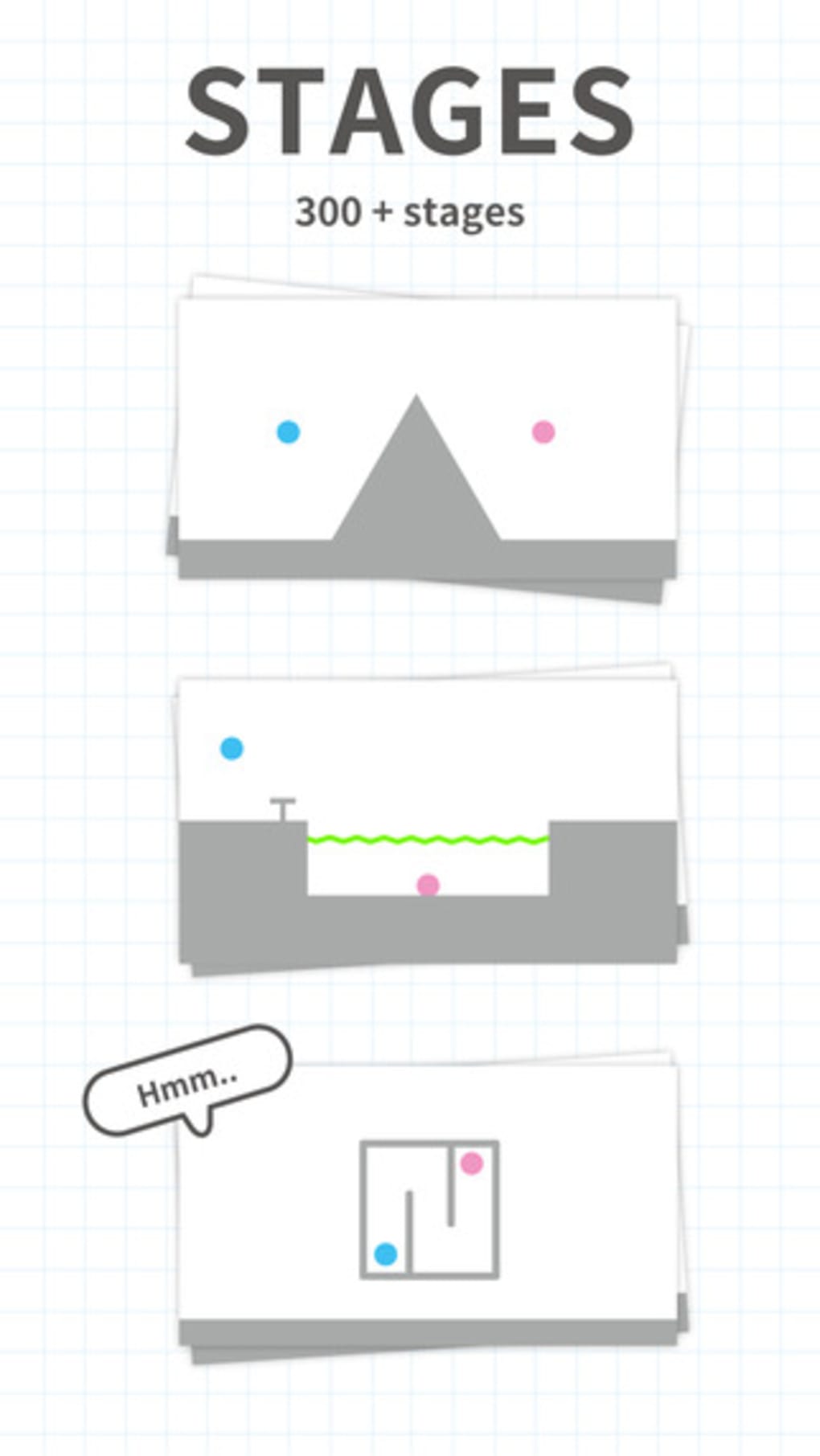
Real-world usage scenarios include solving levels during commutes, waiting in line, or as a stress-relief activity. The game’s emphasis on creativity and spatial reasoning encourages players to think beyond linear solutions. While the premise is simple, the execution requires careful planning, especially as levels introduce obstacles, moving platforms, and timing-based challenges. The game does not specify additional system requirements, but its 45 MB size suggests minimal storage impact. The developer did not provide detailed information on platform-specific optimizations.
Key Features & Capabilities
- Physics-Driven Drawing Mechanics – Players draw lines and structures using a virtual pencil, which interact with gravity and momentum. These creations must be strategically placed to guide the balls without falling into voids.
- Progressive Difficulty Curve – Levels start simple but evolve with complex obstacles, timing elements, and multi-step solutions, ensuring sustained engagement.
- Hint System – When stuck, players can request hints, which provide subtle guidance to help overcome challenging scenarios without giving away full solutions.
- Video Recording & Sharing – Completed levels can be recorded and shared across social platforms like YouTube, Twitter, and Facebook, fostering community interaction and strategy exchange.
- In-Game Rewards & Progression – Players earn coins by completing levels, which can be used to unlock additional pencils or purchase in-app items.
Each feature supports creative problem-solving. For example, drawing a bridge with proper anchoring allows balls to roll across gaps. The hint system helps maintain motivation during frustrating moments. Video sharing enables players to learn from others’ solutions, enhancing the game’s replayability and community value. The game does not specify advanced features like multiplayer or cloud saves.
User Interface, Workflow & Performance
The user interface is clean and minimal, focusing on the core gameplay: the canvas, the two balls, and the pencil tool. Navigation is intuitive, relying on touch gestures to draw and restart levels. The workflow is streamlined—draw, tap play, observe results, adjust, repeat. This loop promotes quick iteration and experimentation, which is central to the game’s design.
Performance observations are based on general software behavior patterns. The game runs smoothly on mobile devices, with no reported lag or crashes in standard usage. The developer did not specify resource usage details, but the 45 MB size suggests efficient memory management. Stability appears consistent across multiple sessions, though long-term performance under heavy use was not documented. The game does not require constant internet access, allowing full offline play.
Compatibility & System Requirements
Brain Dots is available on Android and iOS platforms, with version 2.14.0 released on March 15, 2024. The application size is 45 MB, indicating a lightweight footprint suitable for devices with limited storage. The developer did not specify exact system requirements, such as minimum RAM, processor speed, or OS version.
Compatibility information is limited to the supported operating systems. No details were provided regarding hardware acceleration, screen resolution support, or performance on older devices. The developer did not list any specific requirements for graphics cards or storage space beyond the overall file size. Users should expect standard mobile performance across compatible devices.
Pros and Cons
Pros
- Simple, intuitive touch-based controls ideal for casual players
- Engaging physics-based puzzles with creative solutions
- Progressive difficulty keeps gameplay challenging and rewarding
- Video recording and social sharing enhance community interaction
- Free to download with optional in-app purchases
Cons
- No detailed system requirements provided
- Background music may become repetitive over time
- Hint system may be limited in advanced levels
- Long-term replayability depends on user creativity and community content
- Monetization relies on in-app purchases and coin-based progression
FAQ Section
Is Brain Dots available for both Android and iOS?
Yes, Brain Dots is compatible with both Android and iOS devices. The game was released on March 15, 2024, and is accessible through respective app stores.
Can I play Brain Dots offline?
Yes, the game supports offline play. No internet connection is required to access levels or progress through the puzzle stages.
Is Brain Dots safe to download?
Yes, Brain Dots is developed by the Brain Dots Team and distributed through official app stores. It does not require access to sensitive device data or permissions beyond basic functionality.
Are there in-app purchases?
Yes, the game is free to download but includes optional in-app purchases. Players can buy additional pencils or other enhancements using real money or in-game coins.
How often are updates released?
The latest version, 2.14.0, was released on March 15, 2024. The developer has not specified a fixed update schedule, but new levels or features may be added periodically.
Final Thoughts
Brain Dots delivers a satisfying blend of creativity, logic, and physics-based problem-solving in a compact, accessible package. Its core concept—drawing paths to connect two balls—is deceptively simple yet deeply engaging. The game excels in providing short, rewarding challenges that fit seamlessly into daily routines. While it may not offer intense brain training, it effectively stimulates lateral thinking and spatial awareness.
Target users include casual gamers, puzzle lovers, and anyone seeking a lightweight mental exercise. The free model with optional purchases makes it widely accessible. The ability to record and share solutions adds a social dimension that enhances long-term interest. For those looking for a fun, low-commitment puzzle experience, Brain Dots stands out as a reliable choice.
Download Brain Dots now







